Every day
Rules
A rule says: when a transaction looks like this, always use that category. Rules run before the AI, first match wins, and they are the fastest way to get your inbox to zero for good.
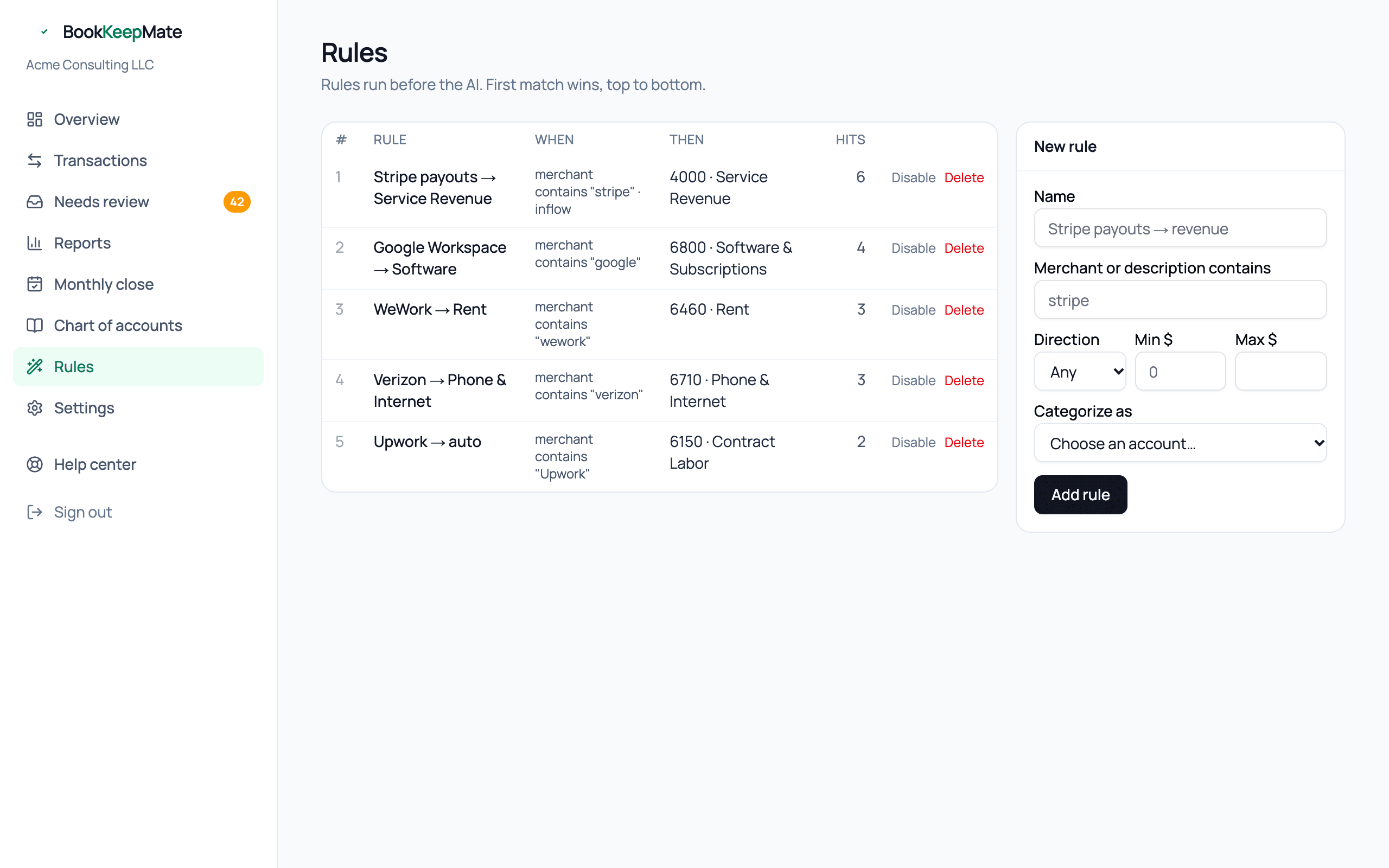
Two ways to make a rule
- From the review inbox. When you correct a transaction, tick Always for [merchant] before saving. That creates a merchant rule and applies it to anything else from that merchant already waiting. This covers 90% of rules you'll ever need.
- From this page. For anything more specific — a direction, an amount range, a description keyword — fill in the form on the right.
Conditions
- Merchant or description contains — case-insensitive text match against both the merchant name and the bank description. "stripe" matches "STRIPE TRANSFER ST-K9D2".
- Direction — money in, money out, or any. Lets you treat "STRIPE" payouts (in) and "STRIPE FEE" (out) differently.
- Min / Max $ — absolute amount bounds. "Amazon under $50 → Office Expense; Amazon over $500 → review" is a common pair.
A rule needs at least one condition. All conditions on a rule must match.
Order matters
Rules run top to bottom and the first match wins, so put the specific rule above the general one. The # column is the priority; new rules go to the bottom. The Hits column shows how many transactions each rule has handled — a rule with zero hits after a few months is probably misspelled.
Disable and delete
Disable keeps a rule but stops it running — useful for a seasonal vendor. Delete removes it. Neither changes transactions already posted; recategorize those from the Transactions page if needed.
Rules vs. what we remember
Note: Every correction you make is remembered by merchant automatically, even without a rule. The difference: memory applies the last category you chose for that merchant, while a rule is an explicit, visible instruction with conditions. If you correct the same merchant two different ways, memory follows your latest choice; a rule stays put until you change it.
Rules worth setting up on day one
- Your payment processor's payouts → Service Revenue or Product Sales (direction: money in).
- Your processor's fees → Commissions & Fees (direction: money out).
- Rent or coworking → Rent.
- Your phone carrier → Phone & Internet.
- Transfers to your personal savings → Owner Draws, if you do them on a schedule.