Every day
Overview dashboard
The Overview is the one screen worth opening each week. It answers: how much cash do I have, how is this month going, how much should I set aside for tax, and is anything waiting on me?
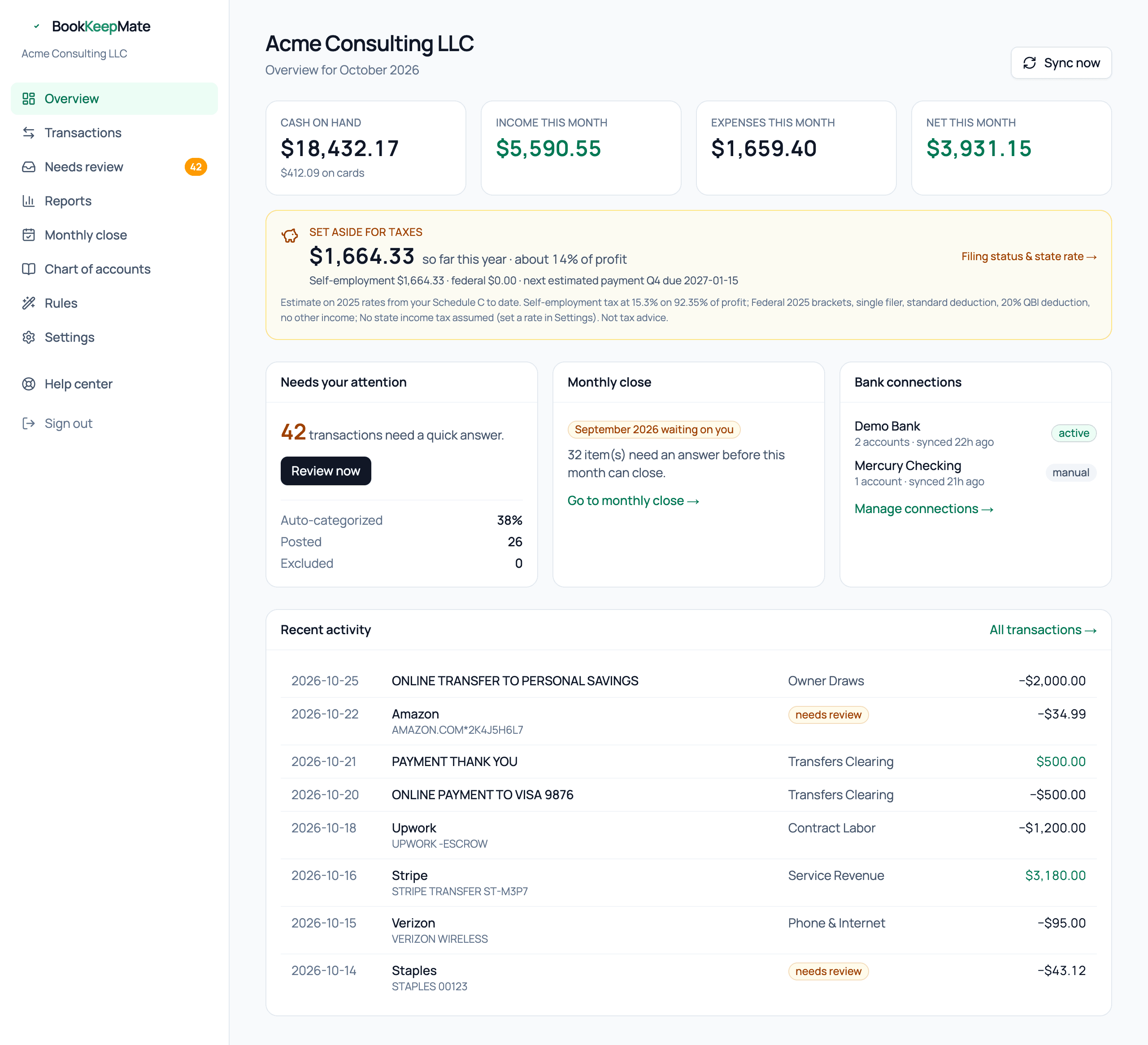
The four tiles
- Cash on hand
- The current balance of your connected checking and savings accounts, as reported by the bank at the last sync. Card balances are shown underneath.
- Income this month
- Revenue posted to the books for the current calendar month. Transfers and owner contributions are not income and never appear here.
- Expenses this month
- Everything posted to expense and cost-of-goods accounts this month. Owner draws and transfers are not expenses.
- Net this month
- Income minus expenses. Green when positive.
Set aside for taxes

A running estimate of the federal self-employment and income tax on your profit so far this year, plus state tax if you've set a rate. The percentage next to it is the share of each dollar of profit you should be putting away. Details, assumptions and how to tune it are in Schedule C and tax set-aside.
Needs your attention
The count of transactions in the review inbox, and under it how much of your activity was handled without you. A settled business runs at 90%+ auto-categorized; the first month is lower while the system learns your vendors.
Monthly close
Shows the status of the most recent completed month:
- Closed — locked, with a link to the Books Closed report.
- Ready to close — everything is categorized; close it now or let it close on the 3rd.
- Waiting on you — the count of items blocking the close, with a link to the inbox.
Bank connections
Each connected institution with its account count and last sync time. active means syncing normally; error usually means the bank wants you to sign in again — see Bank connections. Accounts you added for statement upload are marked manual.
Sync now
We pull new transactions every six hours. Sync now (top right) pulls immediately and runs categorization — useful after a day of unusual activity or when you want to see a payment land.
Recent activity
The latest transactions with their category or a needs review badge. Click All transactions for the full, filterable list.