Reports & taxes
Reports
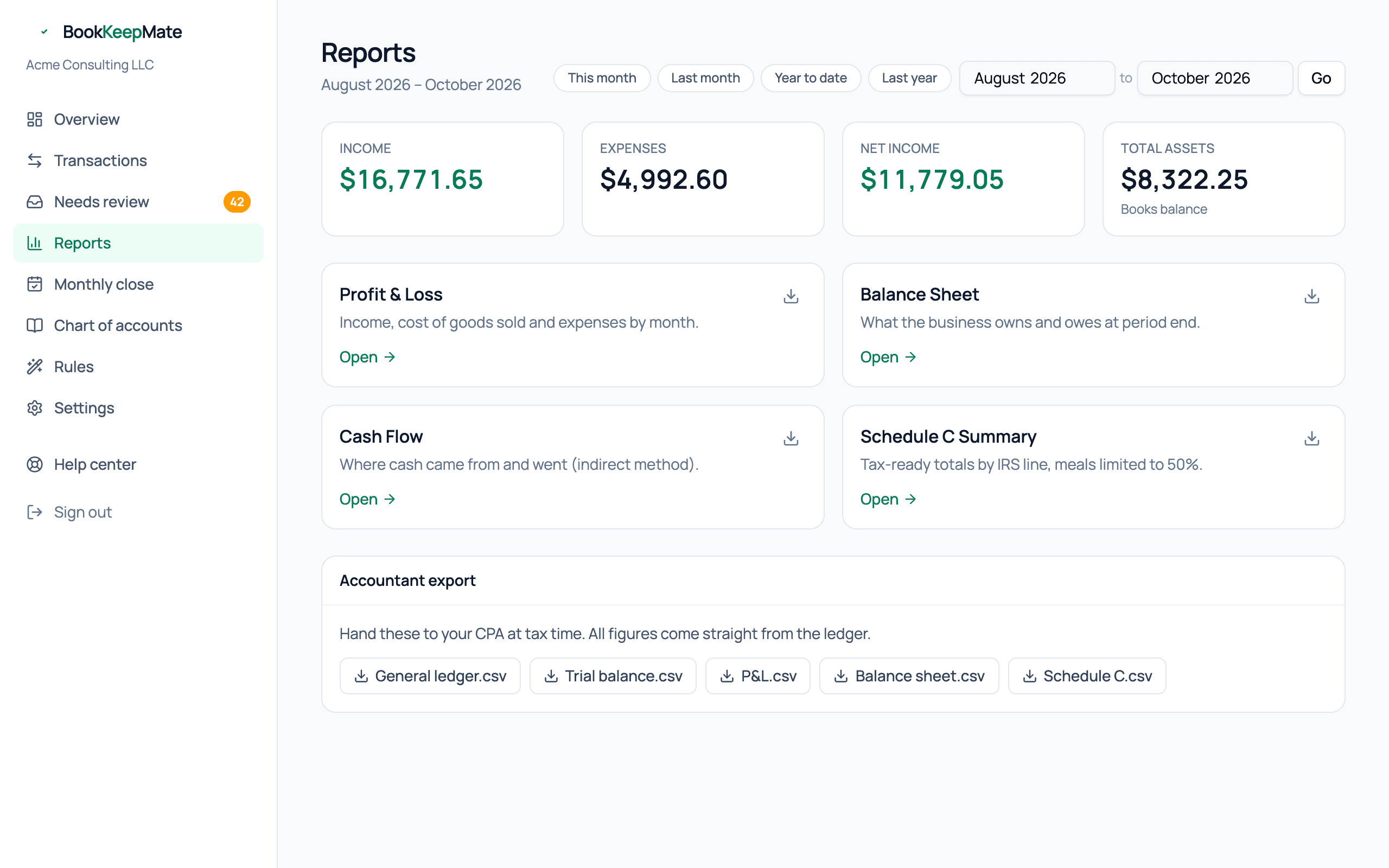
Four financial statements, any period, always in agreement with each other and with your bank — plus the exports an accountant or lender will ask for.
Choosing a period
The chips at the top — This month, Last month, Year to date, Last year — cover most needs; the two month pickers next to them take any range. The period carries across reports and into the CSV downloads. The balance sheet uses only the to month, since it's a snapshot.
Profit & Loss
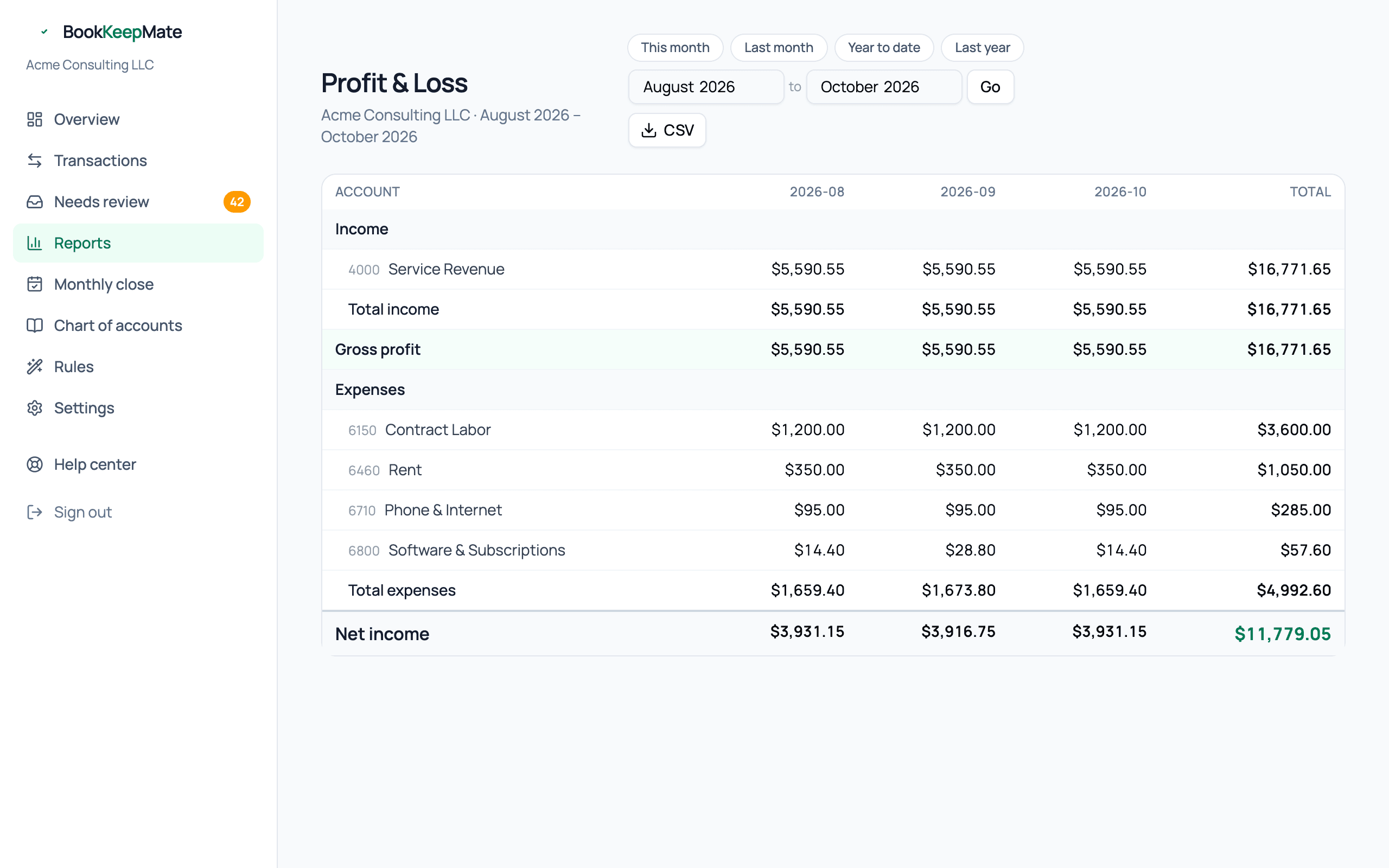
Income, cost of goods sold, gross profit, expenses and net income, one column per month (when the range is a year or less) plus a total. Each line is one account from your chart of accounts; accounts with no activity are hidden.
Balance Sheet
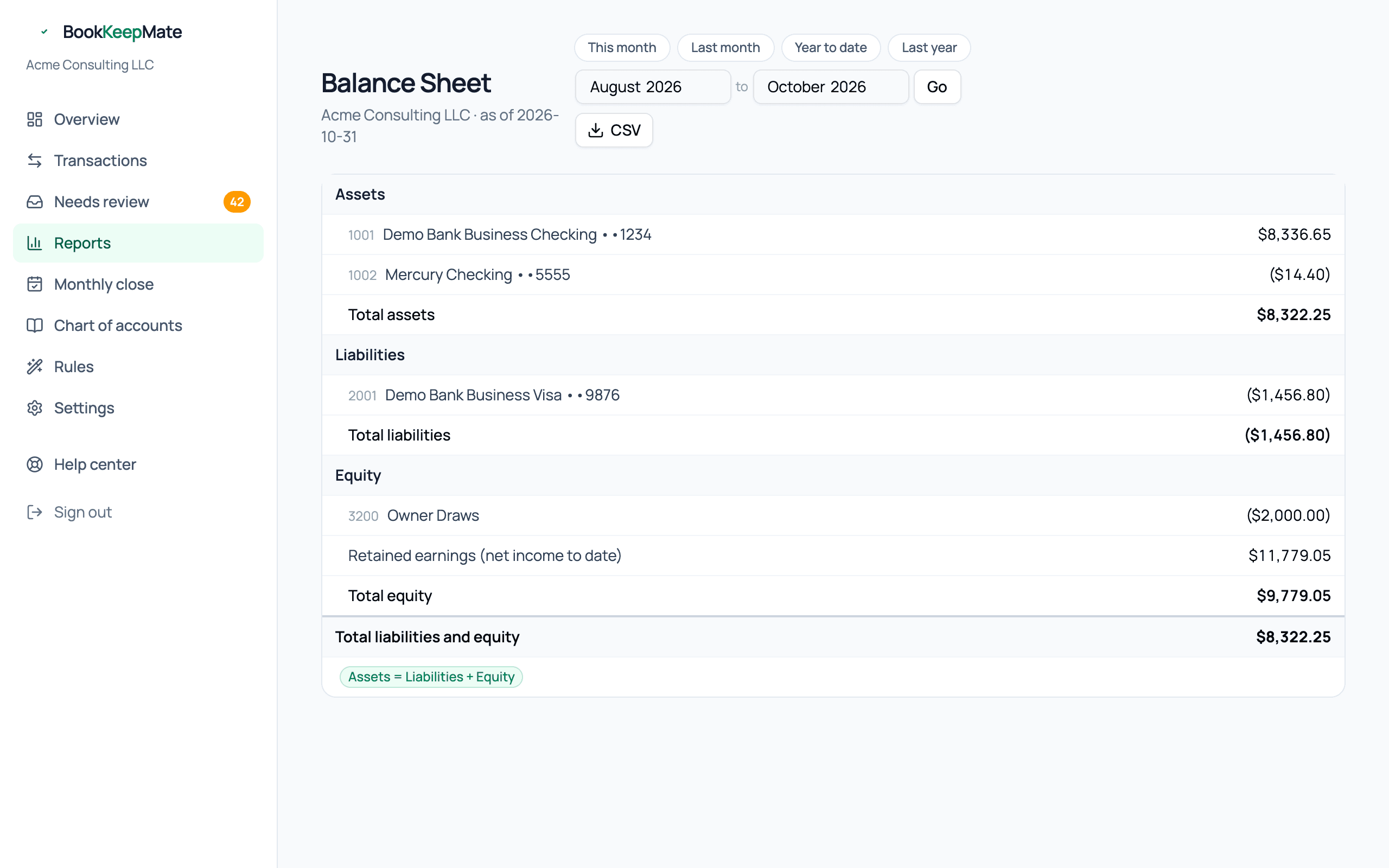
- Assets
- Your bank balances as recorded in the books, equipment, and anything owed to you.
- Liabilities
- Credit card balances, loans, sales tax collected and not yet remitted.
- Equity
- Owner contributions less draws, plus Retained earnings — your cumulative net income to date.
The badge at the bottom confirms assets equal liabilities plus equity. It always does; the ledger can't be out of balance.
Cash Flow
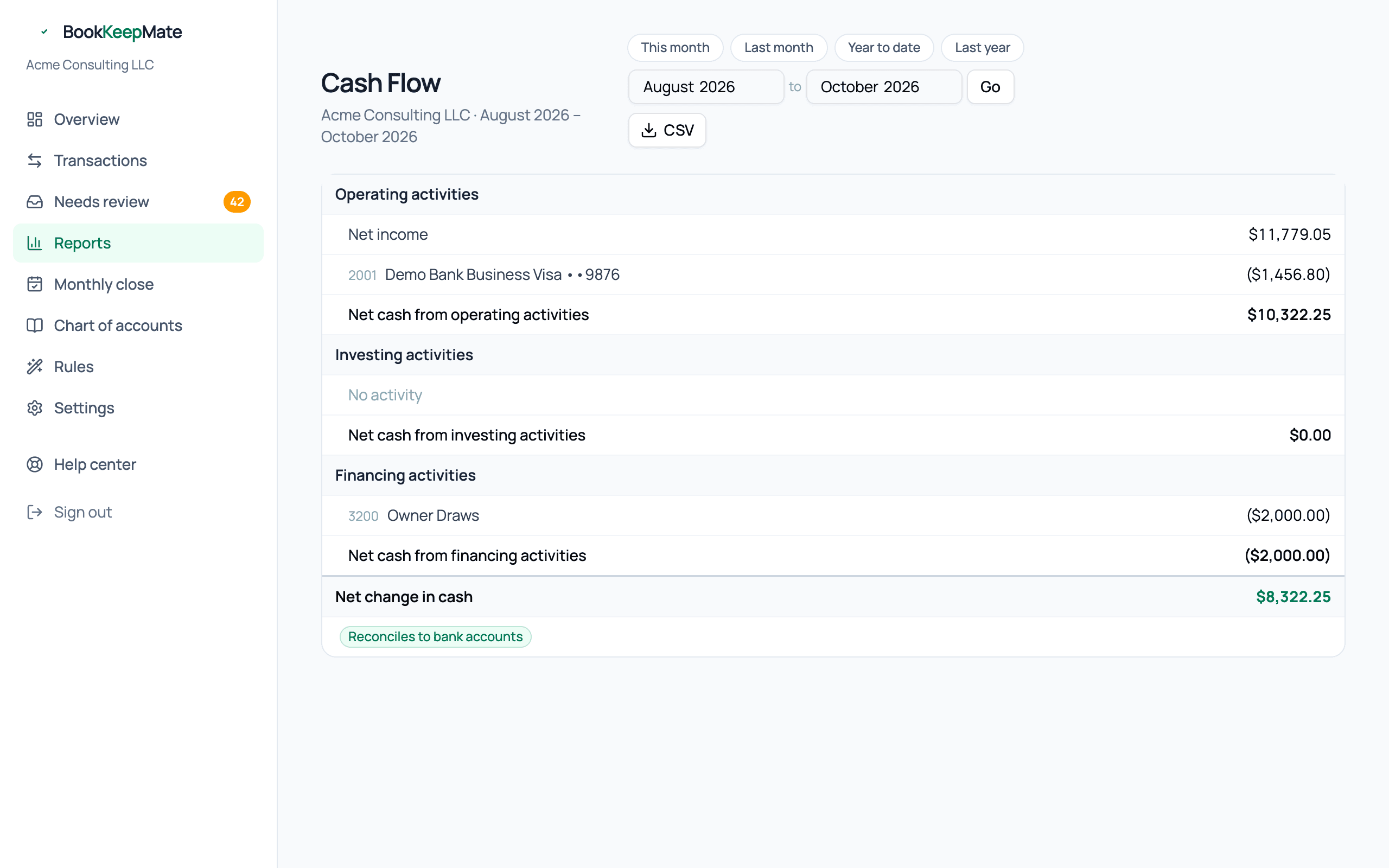
Starts from net income and explains why your cash changed by a different amount: card balances that went up or down (operating), equipment you bought (investing), draws you took or loans you received (financing). The bottom line is the actual change in your bank accounts, and the badge confirms it reconciles.
Schedule C Summary
Your expenses grouped by IRS Schedule C line, with the 50% meals limit applied. Covered in its own guide: Schedule C and tax set-aside.
CSV and accountant exports
Every report has a CSV button. The Accountant export panel on the Reports page adds two more files your CPA will want:
- General ledger — every journal entry in the period, line by line.
- Trial balance — debit and credit totals per account, which is what a preparer uses to tie your books to the return.
All exports are plain CSV and open in Excel, Google Sheets or any accounting package.
From a report to the transactions
Need to see what's behind a number? Open Transactions, set the same date range, and filter by status Posted — then search the category name or merchant.