Reports & taxes
Monthly close
Closing the month is what turns a pile of categorized transactions into books. It locks the numbers, produces the Books Closed report, and is the thing your accountant will thank you for.
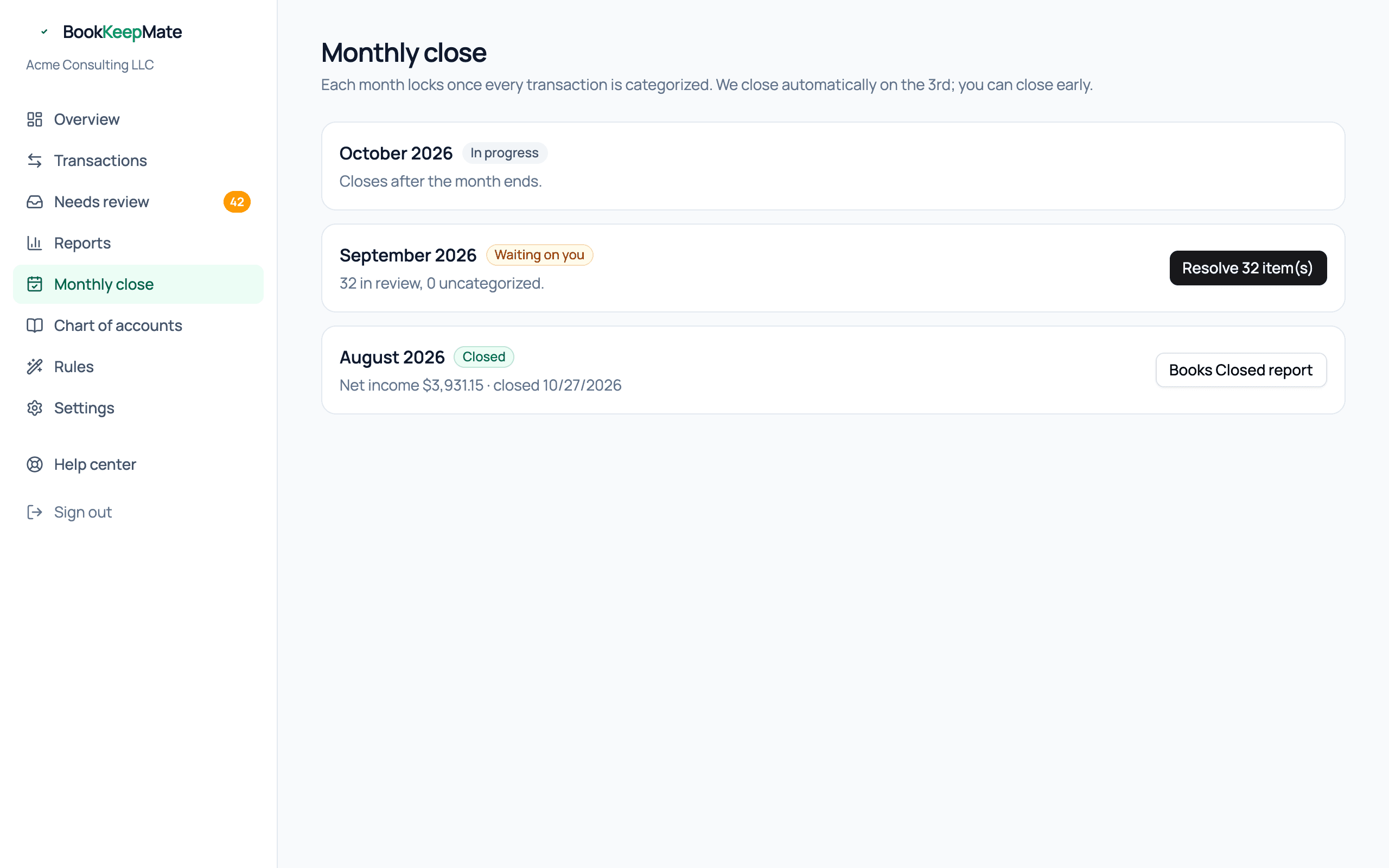
What each month's status means
- In progress
- The current month. It can't be closed until it ends.
- Waiting on you
- There are transactions dated in or before this month still in the review inbox. The count is shown; the button takes you to them.
- Ready to close
- Everything through the end of the month is categorized. Close it now, or wait for the automatic close.
- Closed
- Locked. Nothing can be posted into it. The Books Closed report is available.
Automatic close on the 3rd
At 9:00 on the 3rd of each month we try to close the previous month for you:
- If the inbox is clear, the month closes and the Books Closed report is emailed to you.
- If not, you get a "can't close yet — N to answer" email. Answer them, and the month closes the next time you open Monthly close and click Close, or on the next scheduled run.
Tip: Closing early is fine. If you've cleared the inbox on the 1st, click Close and get your report immediately.
The Books Closed report
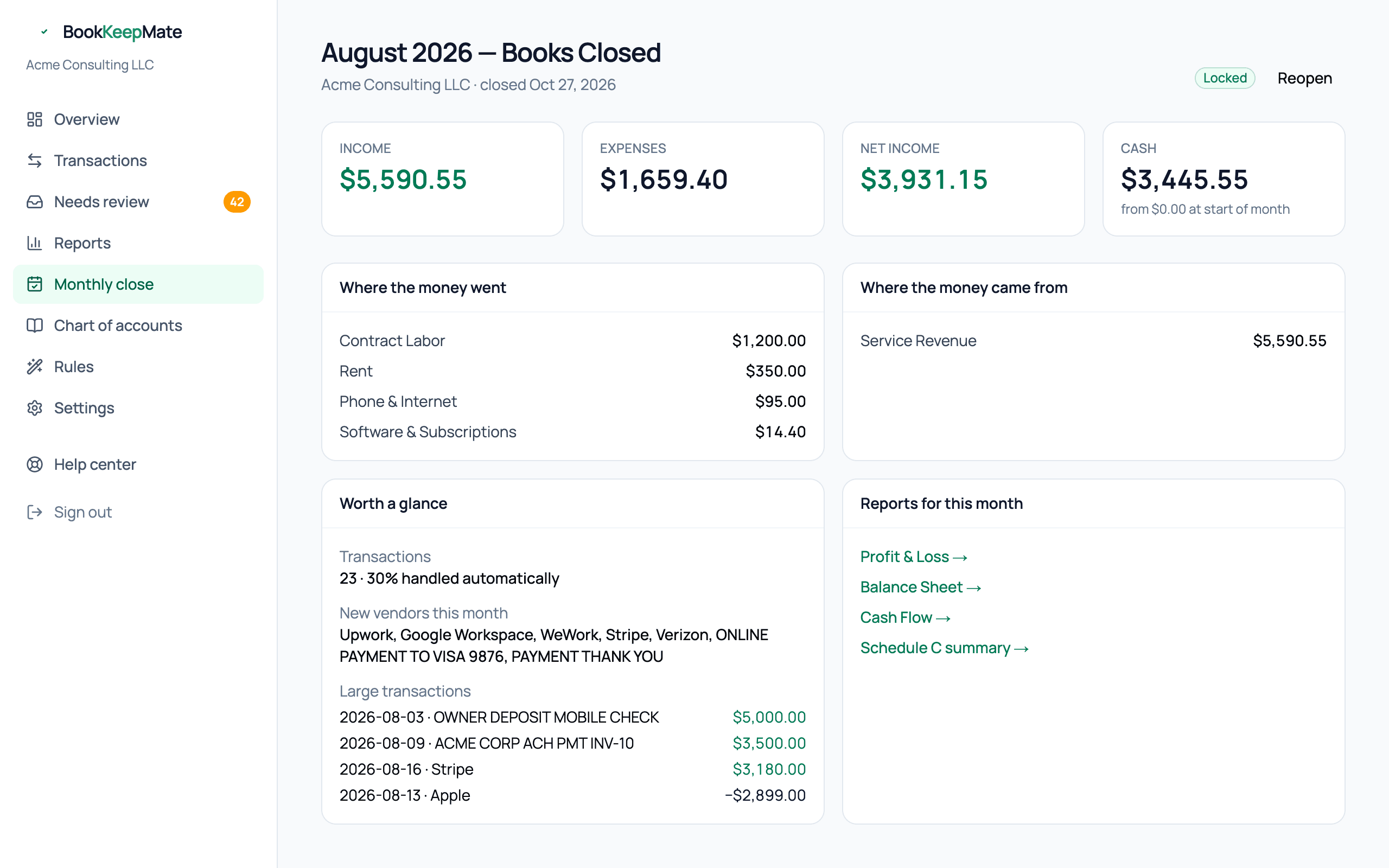
A one-page summary written for the owner, not the accountant:
- Income, Expenses, Net income for the month, and Cash at month end with the change from the start.
- Where the money went / came from — the top five categories each way.
- Worth a glance — how much was handled automatically, vendors you paid for the first time, and any transaction of $2,500 or more. These are the things a good bookkeeper would mention in a monthly email.
- Links to the four financial reports for that month.
What locked means
Once closed, any attempt to change a transaction dated in that month — recategorize, mark personal, exclude — is refused, and a bank revision to an old transaction is held rather than applied. This protects reports you may already have sent to a lender or your accountant.
Reopening a month
- Open the Books Closed report and click Reopen (top right).
- Make the correction on the Transactions page.
- Go back to Monthly close and click Close again. A fresh report replaces the old one.
Heads up: Reopening a month also reopens every later month, because their balances depend on it. Reopen the earliest month you need to fix, then close them again in order.